
How to Take Photos, Including Selfies, in Yakuza Kiwami 2
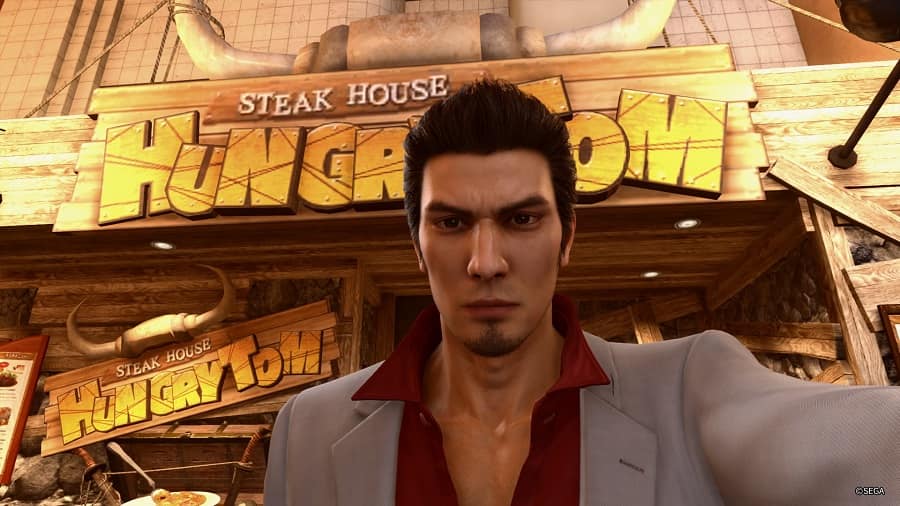
Out today, you’re probably going to want to take some photos while playing Yakuza Kiwami 2.
Thanks to the power of the Dragon Engine, the streets of Kamurocho and Sotenbori are brought to life like never before in Yakuza Kiwami 2. There are more people going about their business, more lights illuminating the environments, and simply more to see and do. Why wouldn’t you want to whip out a camera once in a while to take a picture of something that catches your eye?
Thankfully, it’s very easy to so.
Just like in Yakuza 6, entering photo mode in Yakuza Kiwami 2 is as simple as pressing up on the d-pad. With just that one press of a button, you’ll enter a first-person view-finding mode and then can simply aim and shoot pictures as you please. You can even zoom in and out with your triggers, and cycle through a number of filters with the square button. When you’ve got your shot lined up, press the X button and your photo will be added to your library.
Taking selfies is also relatively easy. While you’re in photo mode, simply press the triangle button and you’ll switch to a front facing camera. In selfie mode, you can move the right and left analogue sticks to fine tune the position of the camera, and also change Kiryu’s expression with the d-pad.
Any photos that you take will be saved on your PS4’s hard drive, enabling you to do what you want with them from the capture gallery. There’s also a gallery in-game, however, so you don’t have to leave your game to view them.
Did you find this guide helpful? Please consider making a one-off donation to GameSpew. All money raised goes directly towards the running costs of the site and helps us continue to make guides, walkthroughs and more content.






